
| This guide is for IT leaders and decision-makers seeking to understand and select the best legacy code modernization tools. Modernizing legacy systems is critical for reducing business risk, controlling costs, and enabling innovation. This article reviews the best legacy code modernization tools available today and explains how they can help organizations update their systems. By comparing leading solutions, we aim to help you make informed decisions that protect your business, reduce technical debt, and unlock new opportunities for growth. |
Introduction
In many companies, the riskiest system isn’t the newest one, it’s usually the oldest. A recent Growth Acceleration Partners report shows how common this is. 92% of organizations still use legacy technologies despite the need for rapid modernization.
Key findings:
- 71% of respondents say lack of time is the biggest reason legacy applications remain untouched.
- 41% of organizations plan to modernize legacy systems within the next 12 months.
- 60% of respondents list web technologies as the top priority in their development roadmaps.
- 57% of businesses rank cloud native technologies among their top 2 infrastructure automation priorities.
Moreover, the application modernization services market is projected to grow to $51.92 billion by 2029.
Thus, modernization is no longer a buzzing “future of IT” discussion. Enhanced security is a benefit of modernizing legacy systems, which involves applying modern security protocols.
Of course, new legacy modernization tools don’t magically clean up 20 years of accumulated system complexity. That’s not realistic. What they truly can do is lower risk, shorten lead times, and reduce the cost of change. They make legacy systems safer to operate and easier to evolve.
What are legacy modernization tools?
Modernizing legacy code involves updating, restructuring, or migrating older software systems to improve performance, security, and maintainability. Legacy code modernization tools enable organizations to update aging IT systems, reducing technical debt and operational costs while increasing agility, security, and performance.
Legacy modernization strategies include refactoring, replatforming, and cloud migration:
- Refactoring is the process of updating existing code without altering its external behavior, often improving its structure or converting to a more modern language.
- Replatforming involves moving applications from on-premise data centers to cloud infrastructure like AWS, Azure, or Google Cloud.
- Rearchitecting for microservices involves transforming monolithic applications into collections of independent, loosely-coupled services.
Legacy modernization tools are software platforms, frameworks, and utilities that enable organizations to update, migrate, or restructure legacy, monolithic programs or mainframe systems to modern architectures without rebuilding from scratch.
This practice makes sense when the system still handles revenue, operations, or customer access. Instead of forcing a full rewrite, such tools work around what already exists.
How AI powered solutions change the pace of modernization projects
Legacy modernization is moving faster than ever. AI-assisted development tools have changed the economics of change. Tasks that used to take weeks: understanding unfamiliar code, updating frameworks, untangling dependencies, now happen in days or even hours. Legacy modernization tools like Cursor and Codex do not remove the need for engineering judgment, but they dramatically reduce time.
Today, legacy modernization tools automate code analysis, refactoring, and testing. For example, AI-generated refactorings improve code health by 68-79% while maintaining 99% syntactic correctness. Automated tools can significantly reduce the time required to refactor legacy code, achieving 5-10x speed gains compared to manual methods.

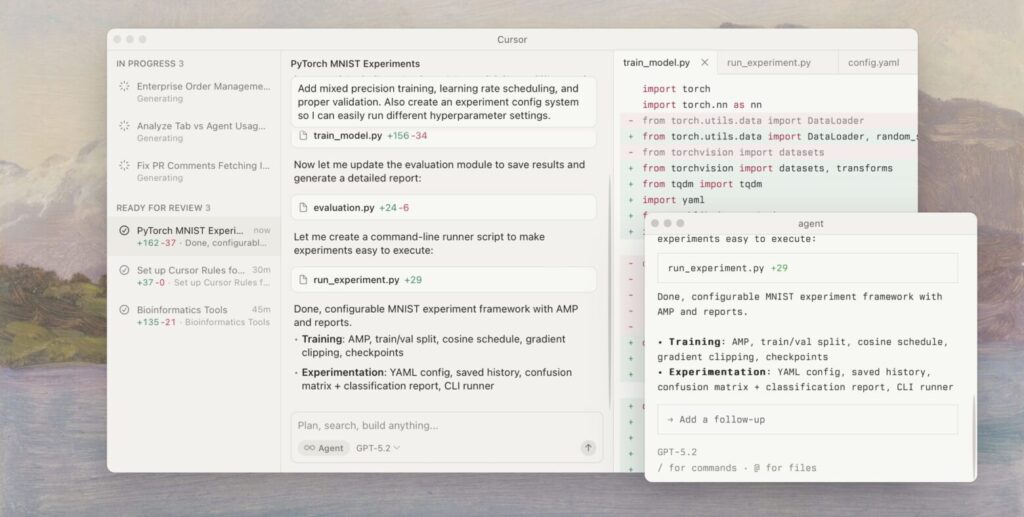
Framework upgrades are also a good example. What used to be a risky, manual process is now more approachable. AI can scan large codebases, suggest upgrade paths, flag breaking changes, and even draft refactored code.
This speed does not mean modernization is easy or automatic. Poor architecture still causes problems, and bad assumptions still pop up. But AI changes where teams spend their effort. Less time wrestling with syntax and legacy patterns and more time deciding what should change and why.
Modernization timelines that once felt unrealistic are now achievable. Teams can move incrementally, test changes faster, and recover more quickly when something breaks.
AI has not solved the issues of legacy modernization software, but it has removed enough drag to make progress practical again. For example, at Altamira, we implemented an AI-powered code review practice, which reduced bug-fixing time by 5x and significantly improved code quality.
Why is modernizing legacy code important?
Legacy code is not just old code. It’s code that is hard to change, difficult to secure, and tightly woven into how the business actually runs. Legacy systems impede innovation, drive up costs, and prevent businesses from growing.
When core systems run on platforms with limited vendor support, and only a few senior engineers understand how they work, the risk grows exponentially.
The cost side tells the same story. Research from Pegasystems and Savanta estimates that enterprises lose around $370 million each year because of outdated systems and accumulated technical debt. That number shows up as:
- Delayed releases
- Missed revenue opportunities
- Compliance gaps that create audit pressure
- Operational outages that ripple across teams
Altamira’s CEO, Yevgen Balter, highlights: “Nowadays, businesses spend much time just understanding the problem and stabilizing old software. Very little of that effort creates new capability. Most of it goes into keeping things from falling apart.”
Organizations are spending up to 80% of their IT budgets merely maintaining outdated systems. That reality explains the renewed focus on modernization tools that automate analysis, conversion, and regression detection.
Our experience: when legacy systems slow down digital transformation
Recently, one client came to us after running the same legacy software for more than a decade. Over time, every process around it had bent to its limits. Teams worked around the system instead of with it. Operations suffered across the board.
At some point, maintaining the status quo became riskier than changing it. The decision to migrate was no longer optional.
For this project, the scope was to migrate 700 GB of sensitive medical data while remaining fully HIPAA-compliant. Finish within a 28-hour window on the weekend to keep the business running.
The migration enabled a new Know Your Customer and Know Your Business system, replacing workflows that had been limited for years. To make that possible, planning went deep. More than 300 sequential scripts were built and validated in a step-by-step process. The team ran over ten full test cycles using anonymized data, and the final runs produced zero errors.
The entire migration ran without manual intervention. Validation checks were embedded at every stage to confirm data integrity and compliance in real time. All preparation and testing used anonymized records, protecting privacy while allowing full verification.
For this client, modernization went beyond data migration. It removed years of operational drag and created room to move forward without carrying over old limitations.
Top legacy modernization tools you should consider
The market offers an endless number of tools for digital transformation. Effective legacy code modernization relies on specialized tools categorized by automated code translation, knowledge extraction, low-code/no-code replacement, or infrastructure-level containerization. Below, we review and compare leading solutions across these categories to help you select the right fit for your organization.
Categories of legacy modernization tools
- AI-powered code analysis platforms: Tools like GitHub Copilot, Kodesage, and CAST Highlight use AI to analyze, explain, and refactor legacy code, improving code quality and accelerating modernization.
- Cloud-native migration suites: AWS Migration Hub, Microsoft Azure Migrate, and Google Cloud Dual Run provide unified consoles and services to manage, track, and validate migration workflows to the cloud.
- Automated code conversion/refactoring tools: TSRI, Hexaware's Amaze®, Mobilize.Net's GAP Velocity AI, Heirloom, and Qinfinite automate the translation of legacy code (e.g., COBOL, Ada, PowerBuilder) into modern languages and architectures, reducing manual effort and risk.
- Containerization tools: Docker and Kubernetes enable cloud-readiness by packaging legacy applications into portable, scalable units without altering underlying code.
- API integration and mainframe modernization platforms: OpenLegacy, IBM's platform, and Kyndryl Modernization Services specialize in exposing legacy functionality via APIs and modernizing mainframe environments.
- Software intelligence and visualization suites: CAST Highlight and Imaging, ReSharper, and SonarQube provide deep insights into code quality, technical debt, and system dependencies to guide modernization.
- Low-code/no-code and full-stack modernization ecosystems: Adalo and Qinfinite offer platforms for rapid replacement or augmentation of legacy systems, especially for small businesses.
Below, we highlight some of the best legacy modernization tools in detail:
SonarQube
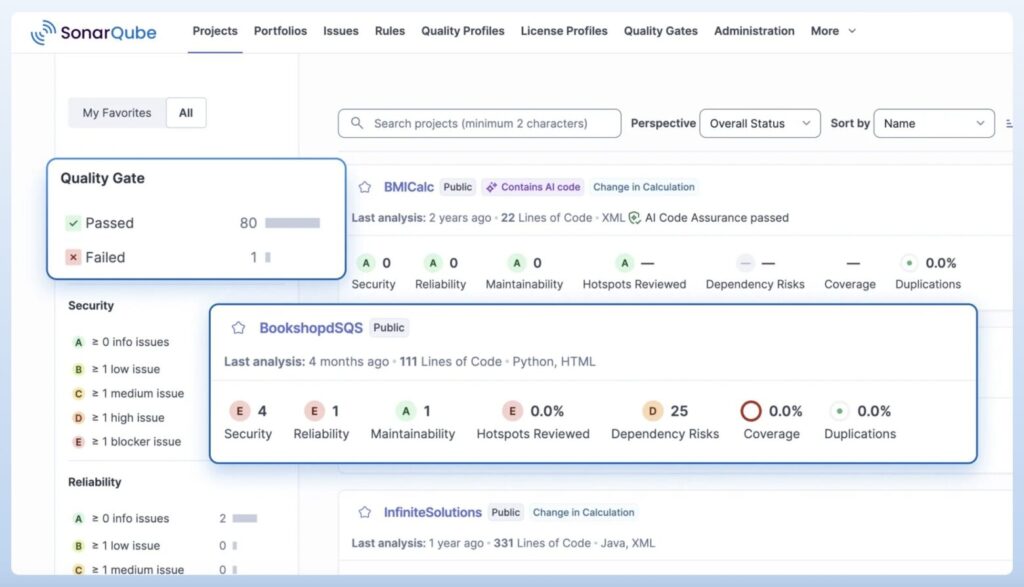
SonarQube helps teams understand the health of their code before and after a change. For mission-critical legacy systems, that visibility is often missing.
The platform continuously analyzes codebases to surface bugs, security vulnerabilities, and maintainability issues. It fits especially well into modernization processes where refactoring happens incrementally, and quality must improve without slowing delivery.
SonarQube focuses on code quality, flagging technical debt and 'code smells' for manual or semi-automated refactoring.

Key features
- Static code analysis: Scans code to detect bugs, vulnerabilities, and maintainability risks across many languages.
- Technical debt tracking: Quantifies debt and shows how long it would take to fix, helping teams prioritize work.
- Security rule sets: Identifies common security issues aligned with industry standards and secure coding practices.
- Quality gates: Enforces minimum quality thresholds before code can be deployed to production.
- CI/CD integration: Plugs into common pipelines so issues surface early, not after release.
Pricing
- Community Edition is free and supports basic static analysis.
- Developer, Enterprise, and Data Center pricing depends on the number of lines of code analyzed and the deployment scale.
- Enterprise tiers add governance, reporting, and portfolio-level visibility.
Pros
- Clear visibility into code quality and risk
- Strong language coverage, including older and mixed stacks
- Fits well into incremental modernization efforts
- Helps prevent new debt while reducing old debt
- Integrates cleanly with existing DevOps pipelines
Cons
- Does not modernize legacy systems or migrate code on its own
- Initial rule tuning can take time
- Value depends on teams acting on the insights
AWS Transform
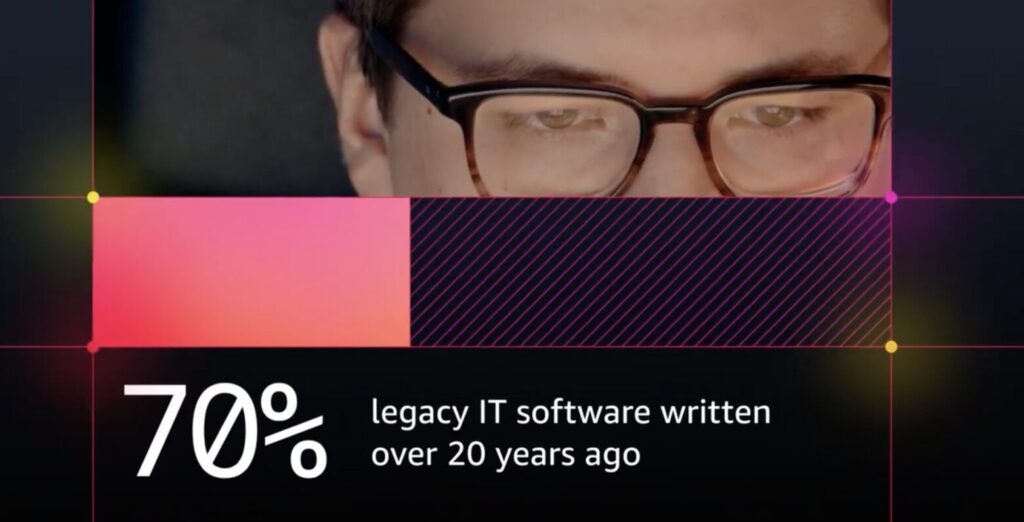
AWS Transform is built for a very specific moment in modernization: the point where teams know they need to change, but the codebase is too large, too old, or too risky to tackle manually.
The service uses generative AI to help modernize legacy applications at scale. Instead of starting from a blank slate, AWS Transform analyzes existing systems, explains how they work, and assists with refactoring and transformation into cloud-ready architectures.
AWS Transform fits best in environments already committed to AWS and looking to accelerate modernization without betting everything on a full rewrite.

Key features
- AI-driven code understanding: Analyzes large legacy codebases and explains structure, dependencies, and behavior in plain language.
- Assisted refactoring and transformation: Uses generative AI to help convert and modernize code for cloud-ready architectures.
- Application and dependency analysis: Surfaces hidden dependencies and architectural risks before changes are made.
- Cloud ready environments: Optimizes transformed code for AWS services and deployment models.
- Incremental modernization support: Enables staged refactoring instead of forcing a full migration at once.
Pricing
- AWS Transform pricing is usage-based and not published as a fixed rate.
- Infrastructure costs depend on application size, analysis depth, and transformation scope.
- As with most AWS services, pricing scales with consumption and integration into the broader AWS environment.
Pros
- Speeds up understanding of large legacy codebases
- Reduces manual effort during refactoring
- Supports incremental modernization strategies
- Tight integration with AWS services
Cons
- Best suited for AWS-first environments
- Limited value for non-cloud or air-gapped systems
- AI-generated outputs still require engineering review
- Pricing can be hard to predict at scale
AWS Transform does not remove the need for architectural decisions. What it does remove is a large portion of the upfront drag. The right modernization software connects old technology with today's scalable, secure, and flexible ecosystems.
Microsoft Azure Migrate
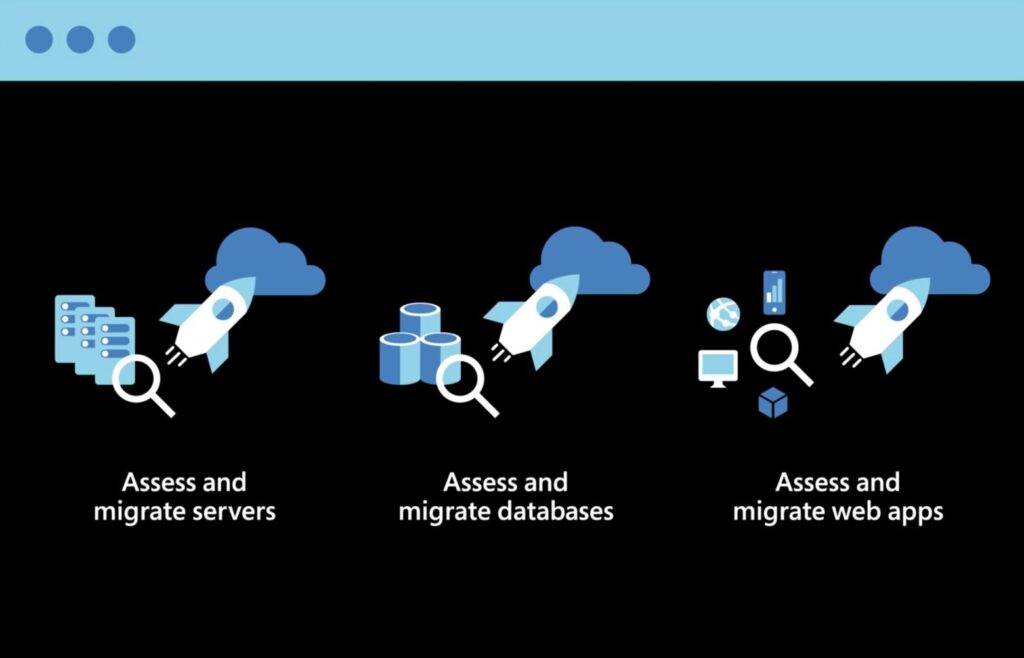
Azure Migrate is Microsoft’s control center for moving on-prem systems into Azure services. The platform scans servers, databases, and workloads, then groups them into migration-ready units. Teams can see what they have, what will work in Azure, and what needs attention before anything moves.
That visibility matters when legacy environments have grown organically over the years. Azure Migrate helps teams avoid surprises by surfacing compatibility gaps early and tying them directly to migration options.
Whether the plan is a simple rehost or a deeper refactor, Azure Migrate stays close to Azure-native services.

Key features
- Asset discovery and grouping: Automatically detects virtual machines across Hyper-V, VMware, and bare-metal hosts.
- Compatibility assessment: Flags operating system, application, and database readiness for Azure VMs or platform services.
- Visual dependency mapping: Shows app-to-app and server dependencies through interactive diagrams.
- Migration guidance: Provides structured templates for scenarios like SQL rehosting or web app refactoring.
- Application readiness checks: Integrates with Visual Studio and CLI tools to assess .NET and Java workloads.
Pricing
- Discovery, assessment, dependency mapping, and planning tools are free.
- Costs apply only to Azure resources used during or after migration, such as virtual machines or managed databases.
- Code assessments through Azure SDK and Visual Studio tools are also free.
Pros
- Central dashboard keeps large migrations organized
- Automated grouping improves planning accuracy
- Dependency maps surface hidden cross-service links
- Templates reduce sequencing guesswork
- VM right-sizing helps control cloud spend
Cons
- Initial setup can take time and careful configuration
- Some teams report noisy or misleading dependency visuals
- Limited real-time feedback during active migrations
Azure Migrate works best for organizations already aligned with Microsoft’s ecosystem. Modernization can help organizations avoid the high costs of maintaining aging, on-premise hardware.
Other notable tools and platforms
- GitHub Copilot: Uses AI to explain legacy code, generate unit tests for undocumented code, and suggest refactoring patterns within the IDE.
- ReSharper: Focuses on code quality and technical debt, especially for .NET environments.
- Kodesage: An AI-powered platform specialized in legacy systems and on-premise deployment.
- CAST Highlight and Imaging: A software intelligence suite designed for high-speed legacy modernization planning.
- IBM's platform: Helps large enterprises modernize legacy systems built on mainframes like z/OS, COBOL, and CICS.
- OpenLegacy: Expert in API-first mainframe modernization technologies.
- TSRI: Automatically changes code and databases from old languages like Ada, COBOL, and PowerBuilder into modern infrastructures.
- Hexaware's Amaze®: Specializes in automated re-platforming, transforming monolithic legacy applications into cloud-ready microservices.
- Heirloom: Translates COBOL to Java so that old systems can work in the cloud without losing business logic.
- Kyndryl Modernization Services: A good choice for big companies in regulated fields like government, healthcare, and finance.
- Qinfinite: A full-stack, AI-powered ecosystem of tools to help with legacy modernization for small companies.
- Adalo: Offers low-code/no-code solutions for rapid replacement or augmentation of legacy systems.
- Google Cloud Dual Run: Enables organizations to validate legacy mainframe migrations by running workloads on both mainframe and Google Cloud simultaneously.
Best practices for legacy modernization
Legacy modernization fails when teams rush or treat it like a one-time project. It works best when leaders slow down just enough to make deliberate choices and reduce risk step by step.
Conduct a full portfolio analysis
Start by understanding what you actually have. Look at architecture, technical debt, security exposure, and business value together. This prevents investing time in systems that do not matter and missing ones that do.
Prioritize high-impact applications first
Do not modernize everything at once. Focus on systems that combine business importance with operational or security risk. Those deliver visible value early and build confidence.
Choose a clear modernization path for each system
Not every application needs the same treatment. You have to decide whether to rehost, replatform, refactor, rearchitect, rebuild, replace, or retain. The goal is fit, not consistency.
Map business logic and dependencies visually
Reverse-engineer workflows, integrations, and data flows before making changes. Hidden dependencies are the main reason migrations fail late.
Build-in security and compliance from day one
Pull business rules out of the code early. Apply encryption, audit trails, and access controls as part of the design, not after the fact.
Adopt CI/CD and modular architecture
Continuous testing and deployment reduce rollback risk and shorten feedback loops. Modularity limits blast radius when changes go wrong.
Engage stakeholders continuously
Modernization changes how teams work. Explain tradeoffs. Set realistic expectations. Offer training. Adoption matters as much as architecture.
Remember that legacy modernization is less about bold moves and more about controlled progress.
The final words
There is no single “right” way to build toward an AI-driven future. The approaches differ for a reason. What matters is choosing deliberately, based on what your technology estate can support today. Leaders tend to get clarity by asking a few hard questions up front.
What supports operations, and what drives the product?
Separate operational workflows from product capabilities. These problems behave differently and move at different speeds. Trying to modernize both at once usually slows everything down. Decouple them. Prioritize the one that creates pressure or opportunity first.
How mature is each technology asset, and where can it create value now?
Not every system deserves the same level of attention. Assess maturity honestly. A company might get more near-term value from improving call center operations than from reworking a supply chain platform. The right choice depends on digital readiness and business goals, not trends.
What mix of buy, build, and customize makes sense?
Pure build or pure buy strategies rarely hold up. A hybrid orchestration model lets teams move in stages, limit exposure, and expand only where value is clear. Lighter footprints reduce friction and make change easier to sustain.
Altamira’s CEO, Yevgen Balter, reiterates: “Legacy modernization calls for a transformation mindset rather than a cleanup mindset. Speed to market, product differentiation, and system integrity become daily operating concerns, not abstract goals.”
Handled well, legacy upgrade choices do more than modernize technology. They shape how the business competes and how value is created over time. Contact us to learn more how Altamira can empower your modernization projects with the help of AI assisted modernization tools. Modernization is a strategic opportunity to reposition organizations for agility, innovation, and growth.