
There is a forgotten ad made by LG Electronics back in 2014. It throws few interesting facts right from the start.
- Fact #1: 53% of people are unaware how much they can do with a Smart TV.
- Fact #2: 75% of people think Smart TV apps are too complicated and the smart TV interfaces are confusing. Obviously, the solution proposed in the ad is a better UX/UI made by Korean tech giant.
Unfortunately, LG failed to deliver a better usability. It's TV sales plummet over the next 2 years period. Frankly speaking, Samsung and Sony haven't cracked the idea of smart TV usability.

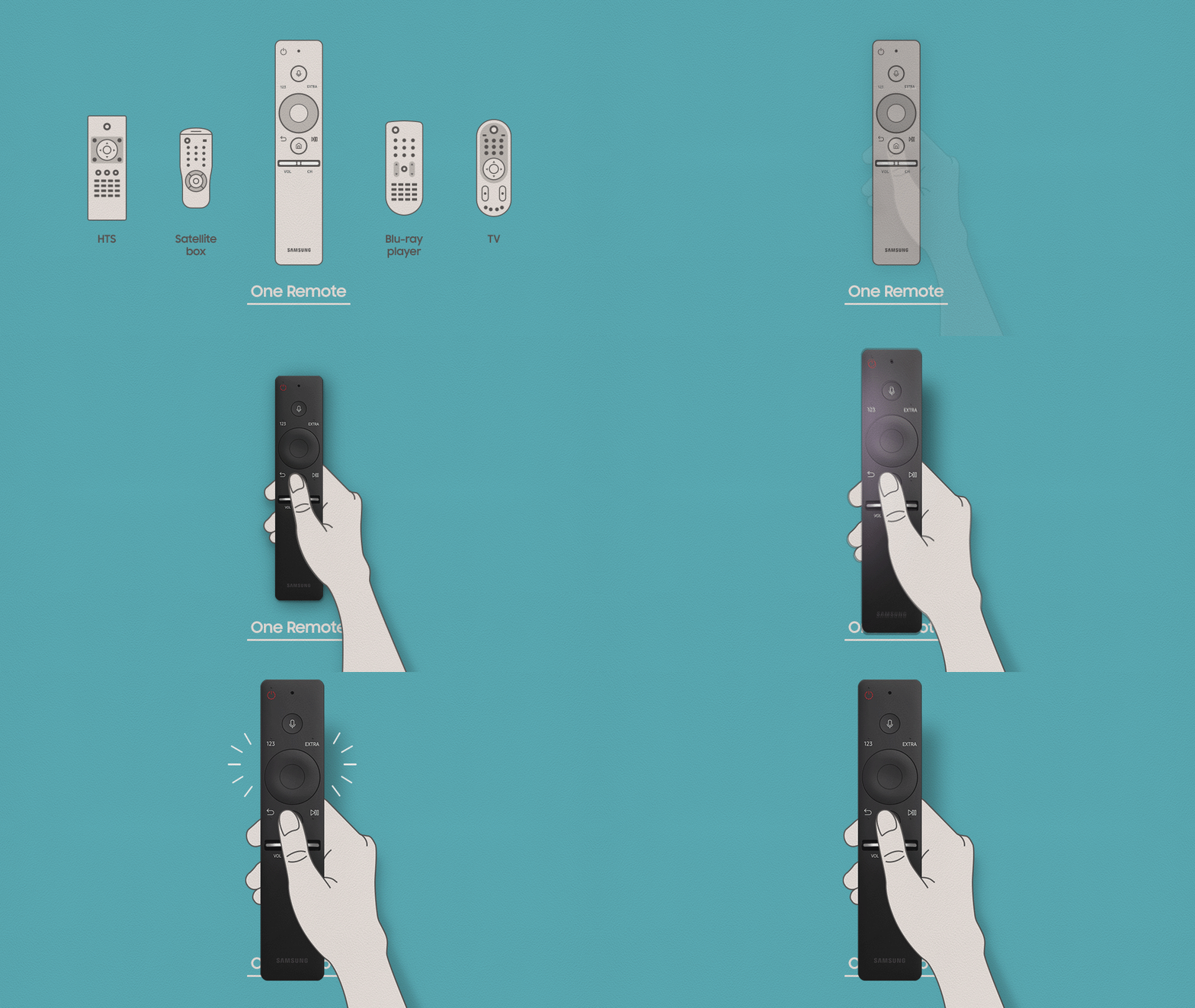
The industry leader, Samsung have heavily invested in smart remote technology. But all it made is a universal remote with a touch-button and poor voice control.
How to design UI/UX for your Smart TV apps?
Despite the fact that some TV manufacturers did publish design guidelines for their Smart TV systems, their documents cover only basic topics or date back to 2015.
- LG webOS Smart TV design guidelines
- Samsung Smart TV design guidelines
- Android Smart TV guidelines.
It must be acknowledged that our design team hasn't found much help in these manuals. Although there are some “tactical” tips worth mentioning like fonts.
Tips on smart TV design and smart TV interfaces for various TV screen sizes
Take a closer look at numbers behind screen resolutions. There is a distinct pattern in numbers that keep working across all popular screen resolutions, starting from smartphones' tiny screen, ending with 4K TVs. The majority of screen resolutions can be divided by eight. The only unfortunate exception to this rule is iPhone 6 screen resolution, which is 375 x 667.

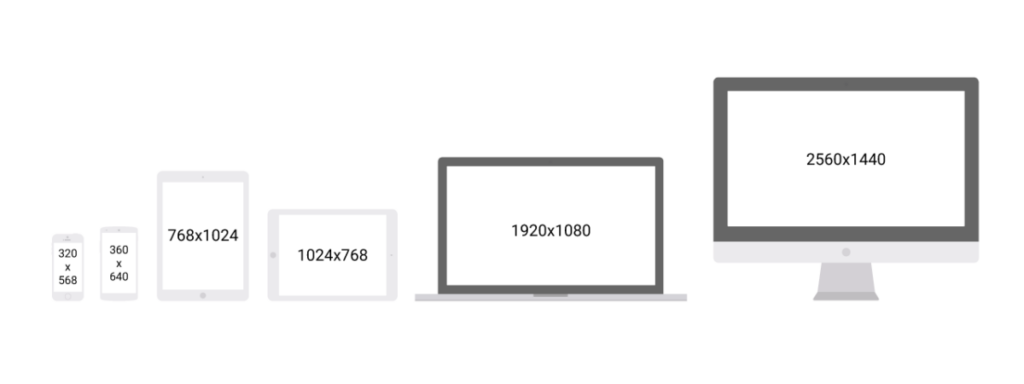
- Concerning this fact it's a good practice to build a multiple of the 8-pixel grid and make all the icons with regards to this number.
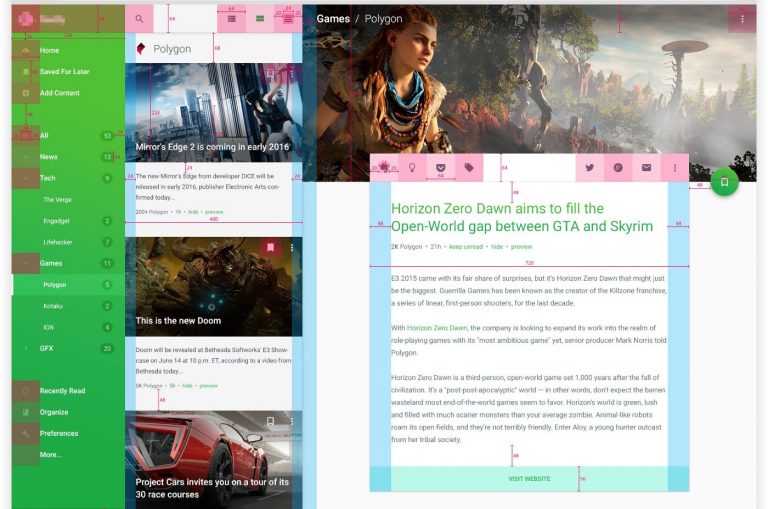
- Also, keep in mind that different screens have a different active zone where the navigation of cursor is possible. That is why all manufacturers advise setting a safe zone (at least 20-24 px) around the edge of the screen, in order to make sure that your app will be 100% visible on the screen.
- In addition, don't hesitate of checking color palette against different TVs, because their color rendition may vary from screen to screen.

Tips on UX Design for Smart TV: user interface
On top of that, there is Wild West in all concerning usability and UX for TVs. Partly because there are too many intricacies and problems related to the development process itself.
- Don't make user journey more than three levels deep.
- Use one-vector navigation if it's possible. For example, a horizontal user journey where all folders and subfolders open only to the right.
- Always indicate navigation symbols like “back”, “home”, “cancel”, “select”, unless you want users to hit the “exit” button each time they get stuck somewhere.
- The testing environments are too slow and buggy. Don't use them to run app performance tests.
- It's preferable to test on the device itself, otherwise, you're risking to miss critical latencies that occur on while using the remote control.
- If you're building a Web App, don't rely on libraries like jQuery or fancy frameworks like AngularJS, Ember JS, Backbone, etc. Most of their feature won't be supported by Smart TVs. Also, those libraries can greatly slow down the app (jQuery performed 6 million times worse than simple script).
Smart TV App Control and Input

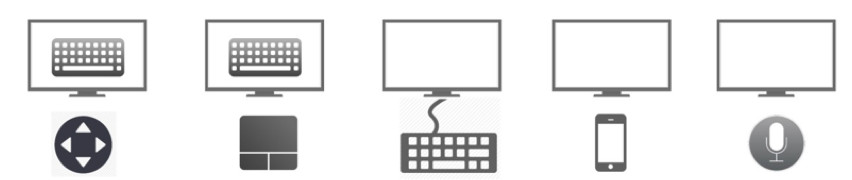
Finally, let's talk about how you want users to interact with your application?
There are at least 4 types of Smart TV input options
- Gestures.
- Voice Control.
- Standard remote control.
- Bluetooth keyboard/mouse.
Gestures and Bluetooth-connected devices are used by 1% of users. Voice Control system is still not mature enough and doesn't use much by users either. Also, the Voice Control system is not an option if you're building a cross-platform app.
The hard part about remote controls is that you'll end up with hundreds of devices, each with unique Key Codes. For example, Panasonic, LG, and Samsung, all have different key codes for number “1” button.
In such case, you should develop a Key Map with all Keys and devices supported. This map will be a “translator” and transcribe the signal from the remote control to the app based on the device it is currently running on.
On the other hand, you can develop or integrate a ready-made smartphone application that works instead of remote control. In such use case, the user will be able to control their TVs with the help of smartphones.

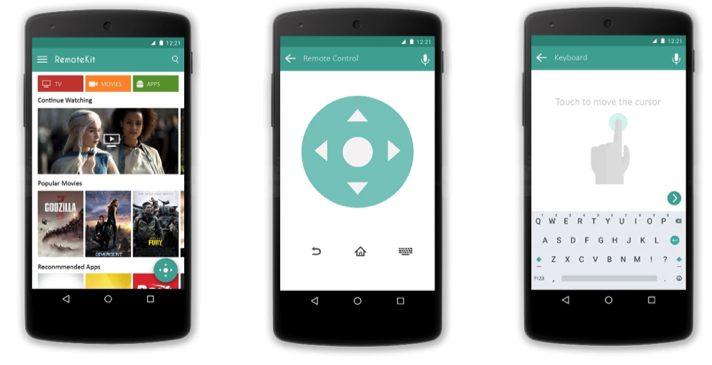
Although, it is not necessary to develop a smartphone remote control app if you don't have such use cases:
- Your app heavy relies on text input/search field.
- You need a seamless cross-device experience.
- Want to deliver a gaming-like experience.
If you're not intending to use your app one of these ways, don't bother building a dedicated mobile remote control interface for Smart TVs. Your app will be just fine with the standard remote control interface. In addition, there are third-party solutions we can integrate later instead of inventing the wheel.
Bottom line
Smart TVs, as well as 4K TVs, are gradually replacing old screens and gain greater user base. And building mobile or web apps that can be used through TV is not such an exclusive thing to do nowadays. But it requires great attention to User Interface and User Experience while developing Smart TV app.
The aforementioned visually appealing design tips are just a tip of an iceberg. They are called to emphasize the importance of design and comprehensive approach to the development of interfaces and applications. Although you just need to leave your request and leave the details to us!