
A team ships an agent that can create, update, and delete records in a production system, connects it to a Model Context Protocol server, and assumes the server will keep it in line. It won't. The agent still decides what to do. The server only decides what is reachable. That gap, treating MCP as if it were the agent itself, is where poor design decisions and security holes start.
The MCP vs agents distinction sounds academic until it shows up in an architecture review. Most people hear "AI agents" and "MCP" in the same sentence and assume they're interchangeable. They're not. They solve different problems, and once you see the difference, the whole thing becomes easier to navigate.
Agents make decisions, take action, and own pieces of a workflow the same way a capable teammate would. They can follow instructions, respond to changes, and coordinate with other agents. When you give them a job, they carry it through.
Model Context Protocol is the wiring behind the scenes. It gives models a predictable way to access tools, data, and systems without custom glue code every time. It doesn't "think" and it doesn't "decide." It keeps everything connected so the agent can work without tripping over missing context or outdated information.
You end up with two layers working together:
- Agents that execute real tasks.
- MCP that supplies the structure and context they rely on.
Get the boundary between those layers wrong, and you either build an agent that can't reach the systems it needs, or one that can reach far more than it should. Contact us for technology product consulting.
What an AI agent does
An AI agent is a piece of software that takes work off someone's plate. It doesn't wait for a long list of instructions. It handles tasks on its own, learns from feedback, and gets better the more it's used.
The point is to give teams more time for work that actually needs human judgment. When an agent runs a process end-to-end, or even just handles the parts people repeat all day, the whole workflow speeds up.
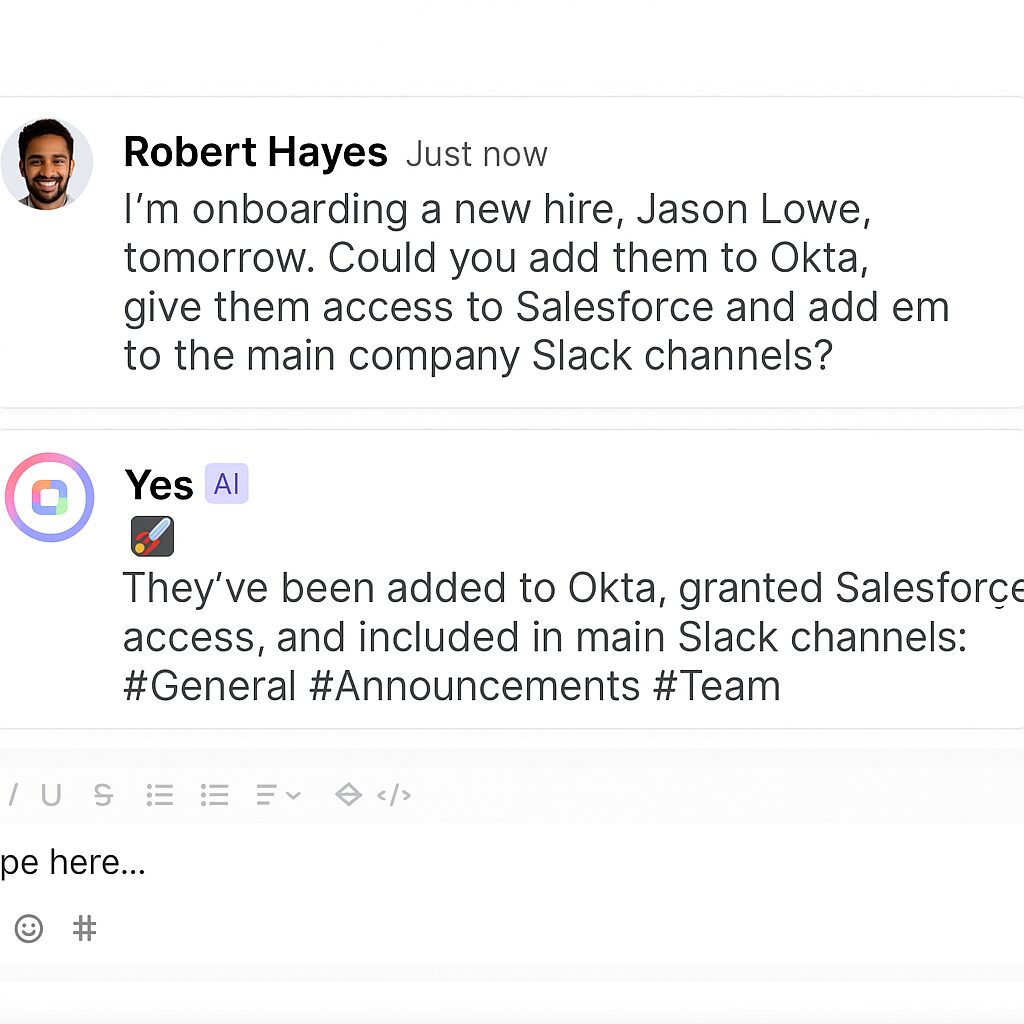
A simple example: at Altamira, we use an agent that sets up new employees. It pulls data from HR and directory systems, provisions access, and does the onboarding steps hiring managers usually chase by hand. One less back-and-forth, one smoother first day.
And that's one use case. Agents can:
- Resolve common support issues before they reach a human
- Answer employee questions without creating another ticket
- Draft sales proposals based on real customer data
- Coordinate tasks across tools so teams aren't juggling systems
Once you have a reliable agent in place, it becomes a steady part of how work gets done, not another tool people forget about. What it can't do on its own is reach into the systems where that work actually lives. That's the job of the protocol underneath it. Learn more about SaaS AI agent.
What Model Context Protocol does
MCP is a protocol created by Anthropic that gives AI systems a predictable way to interact with third-party software. It doesn't make decisions or run workflows. It provides the bridge.
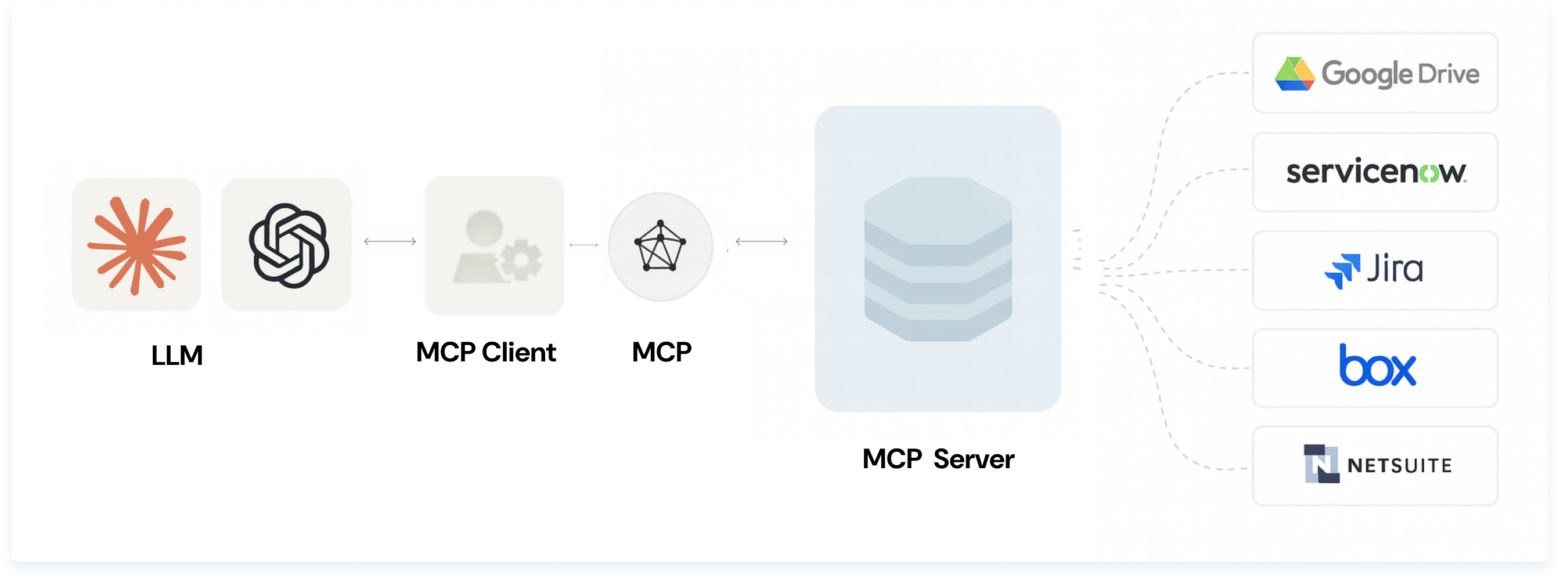
Here's how it works. A Model Context Protocol server exposes a set of tools, each one tied to a specific function inside another system. A "List projects" tool, for example, might map directly to the GET /projects endpoint of a project management app. The server tells the AI, "Here are the actions you're allowed to take."
On the other side, an MCP client, often an AI agent, chooses which tools to call based on what the user wants and what the server makes available. It only works within those boundaries, which keeps things easier to monitor. This is where tool access becomes a design decision rather than an afterthought: the server defines the surface, and the agent works inside it.
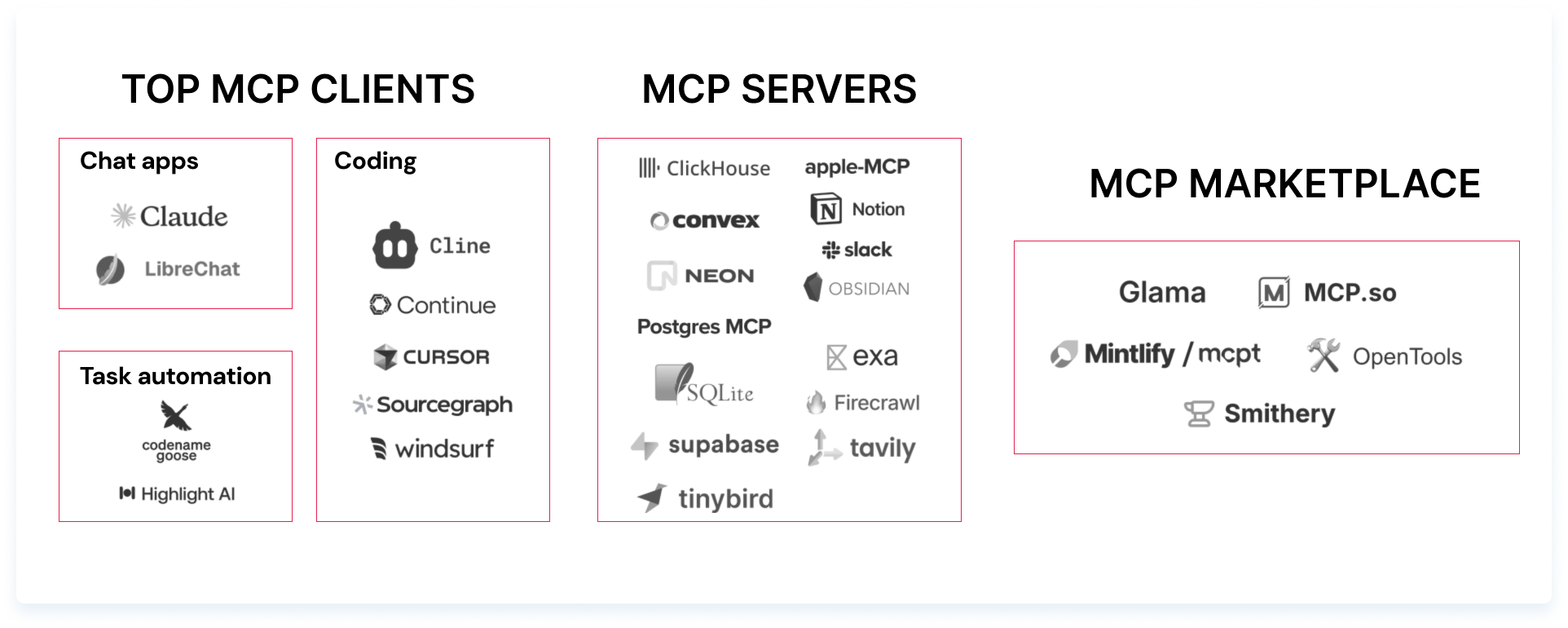
Because the protocol has taken off quickly, you can now find Model Context Protocol servers for hundreds of systems. GitHub, for example, offers an MCP server that lets agents read and update issues or pull information from repos without custom integrations.
The result is simple: MCP gives agents the structure they need to work safely across different systems. An MCP agent pairing only holds up when each side stays in its lane.
How MCP and AI agents work together
Model Context Protocol and AI agents get talked about together, but they play very different roles. MCP is only a protocol, a way for an AI system to reach into third-party applications and use the tools those apps expose. It doesn't act, decide, or run a workflow. It opens the door.
AI agents do the actual work. They interpret prompts, make decisions, and carry out tasks across apps, data sources, and internal systems. When an agent needs real-time information or needs to take an action inside another product, Model Context Protocol gives it a structured way to do that.
It's a one-way relationship. Agents benefit from MCP because it gives them clean, reliable access to tools. But agents don't change how MCP servers behave. Only the teams that build those servers can extend or update them. In practice, that separation is what makes agent orchestration predictable: the logic that decides sits in one layer, and the connections it depends on sit in another. Explore our AI process automation services.
Tool access and context sharing
The way MCP AI agents share information is what makes the pairing useful. An agent inside a client like Cursor can pull logs, inspect behavior, and report back without leaving the workflow. Add the Slack MCP server and it becomes a lightweight Slack client. Add the Resend server and it can send email. Add the Replicate server and it can generate images on demand.
Things get more interesting when servers combine. You might ask a client to generate a front-end layout, then call an image-generation server to create a hero image for the page, all inside the same workflow. Each server widens what the agent can touch, and context sharing across those servers is what lets a single request move through several systems without breaking.
This is where tool access pays off. Instead of wiring up APIs by hand for every integration, the agent reads what each server exposes and calls it directly.
Explore more: Model context protocol: a new standard for AI integration
Permission and audit logic
The same structure that grants access also constrains it. Because an MCP client can only call the tools a server exposes, the server becomes the place where permission scope is set. A server that exposes only read tools can't be talked into writing, no matter how the prompt is phrased.
That matters for anyone who has to answer for what an agent did. When every action runs through a defined set of tools, you get a natural audit point: what was available, what was called, and with what inputs. The AI agent MCP boundary is where you enforce least privilege, log activity, and keep a fast-moving agent from reaching systems it was never meant to touch. Get permission scope right at the server, and the security gap from the opening disappears.
When MCP matters most in enterprise AI
Most of the activity around MCP today falls into two buckets:
- Developer-heavy, local-first workflows where people want their editor or local app to reach into multiple systems
- New LLM-driven experiences where AI clients need structured access to a range of third-party tools
For enterprises, the value shows up as the number of systems grows. A single agent that has to touch a CRM, a ticketing system, a data warehouse, and an internal API used to mean four custom integrations, each with its own maintenance cost. With MCP, those become servers the agent reads from a consistent interface. That consistency is what turns a demo into agent infrastructure you can actually run.
It also changes how teams reason about AI integration patterns. Instead of hard-coding one agent to one system, you expose systems as servers once and let any compliant client use them. New agents inherit that access without new integration work. When a downstream system changes, you update the server, not every agent that depends on it.
The tradeoff is discipline. More reach means permission scope and monitoring have to be deliberate. Enterprises that treat MCP as connective tissue, not a shortcut, get the flexibility without handing agents more than they should hold.
How Altamira approaches AI agent integration design
We design the agent and the access layer as two decisions, not one. Before any AI agent MCP integration goes live, we map which systems the agent genuinely needs, what each server should expose, and where permission scope has to be tightened. That keeps the decision-making layer and the connection layer independent, which is what makes the system safe to extend later.
Our work spans the pieces that make this hold together: AI agents that own real workflows end-to-end, LLM integration that grounds those agents in current data through structured tool access, and process automation architecture that defines how requests move across systems without brittle handoffs. The agent infrastructure underneath, servers, permissions, and audit logic, is built to be maintained by the teams that own it, not rebuilt every time a tool changes.
The pattern we keep coming back to is simple. Decide the logic once, expose the systems once, and let clean agent orchestration connect the two. That's what separates an agent that ships and keeps working from one that breaks the first time a system underneath it moves. Explore our web development services.
The final word
Agents and MCP aren’t abstract ideas anymore. They’re shaping how people and teams will use AI in real work, not someday, but right now.
Agents are the part you feel directly. They take on full tasks, move work forward, and reduce the amount of time you spend on repetitive steps. Whether you’re managing a team or juggling your own workload, an agent can handle the pieces that usually slow you down.
MCP plays a different role. It gives those agents reliable access to the tools and data they need. Instead of building custom integrations or wiring up APIs by hand, MCP servers keep everything connected in a way that’s easier to maintain and far more predictable.
Together, they create a simple pattern:
Agents take action
MCP keeps the systems in sync
If you build software, this means less effort spent stitching systems together and more time spent delivering features. If you lead a team, it means work that runs faster with fewer handoffs.
And if you’re just exploring what AI can do, it means tool usage that feels more helpful and less fragile.
When you interact with an AI system, you’re often seeing both layers at work. One decides what to do. The other gives it the reach to do it. Understanding the split makes it easier to see what’s possible and where the next wave of progress will come from. See what's possible with AI strategy consulting services.
FAQ
What is MCP in AI agents?
MCP is the layer an AI agent uses to reach tools and data. The agent decides what to do; MCP gives it a standard way to actually call the systems it needs, whether that's a CRM, a repo, or a database, without a custom integration for each one. It handles the connection, not the decision.
What is MCP (Model Context Protocol) in AI agents?
Model Context Protocol (MCP) is an open standard created by Anthropic. It defines a consistent way for AI systems to discover and call tools that other applications expose. In an agent setup, an MCP server lists the actions that are available, and the agent, acting as the client, calls them within those limits. One protocol replaces dozens of one-off integrations.
What is MCP in the context of AI agents?
In an agent system, MCP and the agent do two different jobs. The agent interprets the request, makes decisions, and runs the workflow. MCP supplies the structured access it relies on: which tools exist, what each one does, and how to call it. The agent acts; MCP keeps it connected to the systems where the work lives.
What is MCP in AI agent development?
For developers, MCP removes the integration tax. Instead of hand-wiring an API for every system an agent touches, you expose each system once as an MCP server, and any compliant agent can use it. You can even generate a server from existing documentation or an API, so the agent knows how to call those functions with almost no setup.
How much does it cost to use MCP with Claude?
There is no Anthropic product called a "Claude MCP super agent." MCP itself is open-source and free to use; what you pay for is the model or plan you run it with. MCP connectors are included in Claude's Free plan, as well as Pro at $20/month and Max at $100 to $200/month. If you mean running agents on Anthropic's managed infrastructure, that is Claude Managed Agents, billed at standard API token rates plus $0.08 per active session-hour with no flat monthly fee. Rates can change, so confirm current pricing on Anthropic's site.