
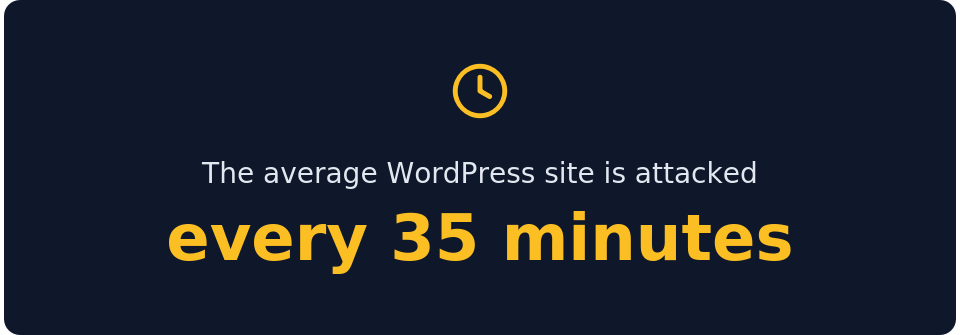
WordPress runs more than 43% of the web. That scale is most of why it takes such a constant stream of automated attacks, and almost none of it is targeted. The bots go looking for older sites nobody maintains, where a known weakness has been sitting open for months.
Patchstack's State of WordPress Security in 2026 counted 11,334 new WordPress vulnerabilities last year, up 42% on the year before. Nearly all of them, 91%, sat in plugins rather than in WordPress core. What makes that dangerous is the pace. Patchstack put the median gap between a flaw going public and being exploited at scale at just five hours.
Nearly half of the flaws disclosed last year had no fix available on the day they went public. So, staying up-to-date only protects a site as far as there is something to update to. This is the position one of our clients was in recently.
In this article, we walk through what happened to our client's site, how our team handled it, and what you can do to keep a site like this safe. Attacks of this kind are common, and the outcome usually comes down to preparation and response rather than chance. Both are worth checking on your own systems.
The story behind: WordPress core
Our client’s website went down on a Wednesday afternoon. By the time they reached us, it had been under attack for two weeks, though nobody knew that yet. We had the cause identified, the attacker out, and the site back up a little over two hours after their first message.
The site was an old marketing website on WordPress, running separately from the client's core CRM platform. That separation is why the damage stopped where it did.
The attack ran for 14 days, and a single actor was responsible for nearly all of it. Over that period, the attacker sent 446,592 requests to the site, which accounted for 99.5% of its total traffic.
It began as a brute-force campaign. The attacker directed 276,091 requests at a WordPress file called xmlrpc.php and another 9,121 at the login page. xmlrpc.php is a legacy feature for remote publishing that most sites never use. Left open, it lets an attacker test large numbers of password combinations quickly, which is what happened here.
The credentials eventually gave way. The attacker created a hidden administrator account, activated a malicious plugin, and installed a web shell. A web shell is a small script that runs server commands through the browser. That gave them remote code execution, meaning they could run their own commands on the machine.
Over the following days, they pulled additional backdoors onto the server. Some came from a public GitHub account, and one from a command-and-control server under their control. They created a second hidden administrator account and continued operating. The attacker was still active when the client noticed the site was down.
Why the breach stopped at the WordPress website
The attacker took full control of the WordPress site and still reached nothing of value.
The site ran inside its own Docker container, an isolated environment that holds one application and keeps it separate from everything around it. It had no connection to the CRM, to the data behind the CRM, or to any other client system. Nothing sensitive was attached to it.
So when the attacker gained code execution, they had nowhere to move. They could deface the marketing site or take it offline, but the customer data and the CRM sat well beyond their reach. No path existed from the compromised site to any system that mattered to the business.
That distinction shaped the outcome. The same breach against a WordPress site wired into the core platform could have exposed customer records and interrupted operations. Isolation kept the impact confined to a standalone site the business could afford to lose for an afternoon.
Finding the intrusion quickly
The attacker left a trail spread across hundreds of thousands of log entries. Establishing who got in, how, and what they touched inside a two-week window is not work you complete by reading logs by hand.
We used AI tooling to process the logs at scale. It separated the attacker's requests from ordinary traffic, isolated the moment the brute-force succeeded, and let us trace every file downloaded and every command run. The alternative is a WordPress security team reading logs line by line for days, or knowing in advance exactly where to look. The tooling produced the same answer in a fraction of the time, which is why the site was back the same afternoon.
Closing the gaps of vulnerable websites
With the site clean and back online, we hardened it against a repeat of the same approach. The main measures:
- Removed eight malicious files, including the web shells, backdoors, and droppers the attacker had planted.
- Deleted both hidden administrator accounts.
- Reset every legitimate WordPress password and rotated the database user password.
- Locked the core files, index.php and wp-config.php, so they can no longer be overwritten.
- Blocked xmlrpc.php entirely, closing the file the attacker had used to get in.
- Blocked PHP scripts from executing inside the uploads folder, a common hiding place for injected code.
- Corrected a broken SSL setting that had generated 675,283 log errors and restored the redirect from HTTP to HTTPS.
We then ran a full database scan to confirm nothing remained. There was no hidden malware, malicious code, or rogue scheduled task. The site was verified clean with no security issues. The client then received a full incident report covering the point of entry, the WordPress weaknesses involved, and every step we took to close them.
Explore how AI process automation can benefit your business.
Why a reliable partner by your side is a must
An incident like this tests whoever is responsible for the system. The site had been breached for two weeks before anyone noticed, and the attacker was still active when the client called. From that point, everything came down to the response.
Communication carried the first few hours. We pulled a team together straight away and sent the client an update every hour. Each one covered:
- what we had confirmed
- what was still open
- what we were doing next.
Once we knew the attacker had reached WordPress and nothing beyond it, we told the client directly.
The speed of the response was not luck. Reading hundreds of thousands of log entries by hand takes a specialist days, and the client did not have so much time. The AI tooling we used cut through that volume and gave us the answer the same afternoon.
The most important decision, though, was made long before the attack. The site ran in its own container, cut off from the CRM and anything sensitive, because that is how it was built. That one choice kept a full compromise boxed into a site the business could stand to lose. When the architecture is sound, a breach in one place has nowhere to spread.
This is what a capable partner brings to a bad day. It shows up as honest communication under pressure, and as tooling that matches the scale of the problem. It also means building systems so a single failure cannot take everything else down with it. That is the line between a partner who owns the outcome and a vendor who steps back when something breaks.
The wider risk: unmaintained WordPress
This site was breached for one ordinary reason. It was built years ago, then left alone, and that is the exact profile automated attacks go hunting for.
Today, the hunting has gotten faster. Attackers run tools that fire thousands of exploit attempts at known WordPress weaknesses. When a fresh vulnerability goes public, the gap before someone tries it on your site is now measured in hours. A site nobody is watching does not stand a chance in that window. It gets found, tested, and used before anyone logs in to check.
If a WordPress site earns its place, treat it like it matters. Keep it patched, wall it off from anything important, and watch it closely. If it does not earn its place, take it down. Leaving a site up with nobody responsible for it is a quiet cost that comes due later. Sooner or later someone finds it, the way someone found this one. Contact us to make sure your website or any other software is secure.
FAQ
What is xmlrpc.php, and why is it a security risk?
xmlrpc.php is a WordPress file that lets external applications interact with a site. Most sites have no use for it. Left enabled, it allows attackers to test large numbers of passwords rapidly and can amplify other attacks. Blocking it is a standard hardening step when the feature is not needed.
How was the breach contained if the site was fully compromised?
The WordPress site was fully compromised, but it ran in an isolated container with no connection to the client's CRM or customer data. The attacker held code execution on the site alone and had no route beyond it, so the impact stayed limited to a single standalone website.
How long did recovery take?
The site was identified, cleaned, and back online just over two hours after the client's first message. Deeper hardening and the full forensic report followed in the days after, once the immediate threat was gone.
Should you keep an old WordPress site running?
Only if you are prepared to maintain it. An unmaintained WordPress site with known vulnerabilities is a standing risk. That is truer now that attackers use automated tools to find and exploit weak sites at speed. If a site no longer serves a purpose, retiring it removes the risk entirely.